
Large‑FOV High‑Speed Inspection & 10GigE Camera Selection
Large‑FOV High‑Speed Inspection & 10GigE Camera Selection
In modern industrial manufacturing, quality inspection is no longer a simple “pass/fail” judgment—it has evolved into a high‑speed, high‑precision data acquisition process. Production lines are running faster, components are becoming smaller, and inspection areas are growing wider. Yet the demands on vision systems are moving in two seemingly opposite directions: wider fields of view and higher frame rates. This paradox is especially acute in industries such as large‑format display inspection, battery electrode coating inspection, automotive body‑in‑white measurement, and high‑speed logistics sorting.
Recently, we encountered a typical “large FOV + high speed” project. The customer, a manufacturer of large‑format flexible printed circuits, needed to inspect fast‑moving targets—tiny connectors and trace patterns—across a 10‑meter‑wide web, from a mounting height of 4 to 6 meters. The targets were only a few centimeters in size, moving at speeds exceeding 3 m/s. The inspection required a resolution of at least 8 megapixels to resolve fine features, and a frame rate of no less than 90 fps to avoid missing defects. In addition, the system had to operate 24/7 in a harsh industrial environment with dust, vibration, and fluctuating lighting.
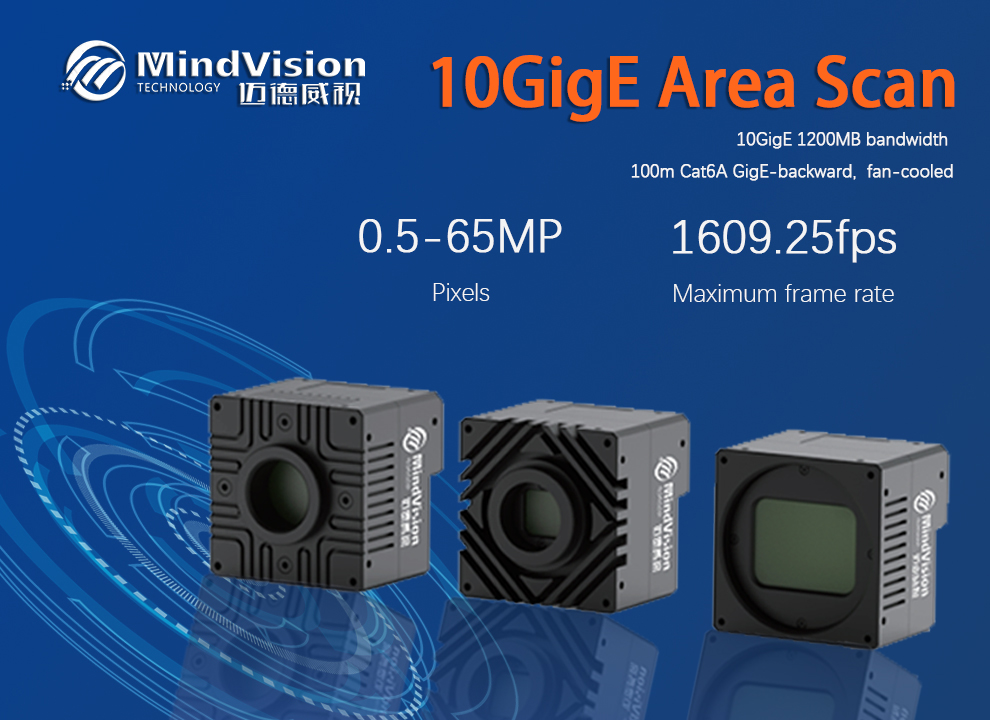
Conventional machine vision solutions often fail under such conditions. GigE cameras are bandwidth‑starved; Camera Link or CoaXPress systems can meet the speed but come with prohibitive costs, complex cabling, limited cable length, and rigid architecture. Many engineers have been discouraged by the trade‑offs. However, the emergence of 10GigE (10GBASE‑T) cameras has changed the landscape, offering a compelling balance of high bandwidth, standard Ethernet infrastructure, long reach, and cost‑effectiveness.
This article is based on that real‑world project. We will walk through the technical decisions we made—from bandwidth budgeting, global shutter selection, lens calculation, to multi‑camera synchronisation and edge AI integration. We will also share a detailed FAQ and a systematic selection guide distilled from actual customer queries. Our goal is to provide a practical reference for engineers facing similar “large FOV + high speed” challenges, and to demystify the selection of 10GigE cameras.
I. Bandwidth – The First Hurdle That Must Be Crossed
Bandwidth is the most fundamental, non‑negotiable parameter in any high‑speed, high‑resolution vision system. It determines not only the maximum achievable frame rate but also the choice of interface, cable length, and even the host system architecture. Underestimating bandwidth requirements is the single most common cause of project delays and performance failures.
Let us calculate the data rate for our customer's requirement: 8‑megapixel resolution (3840 × 2160), 90 frames per second, 8‑bit monochrome pixel depth. The raw data rate is:
3840 × 2160 × 90 × 8 = 5,971,968,000 bits/s ≈ 5.97 Gbps
After accounting for packet overhead, inter‑frame gaps, and protocol headers (GigE Vision, UDP/IP), the effective payload bandwidth needed is approximately 747 MB/s (megabytes per second), or about 6 Gbps. If the camera is colour (with Bayer pattern), the data rate increases by about 25% due to the additional colour information, pushing it to nearly 7.5 Gbps—which would exceed the capacity of 5GigE.
Now let us compare common industrial camera interfaces:
- GigE (1000BASE‑T): theoretical 1 Gbps, effective ~125 MB/s. Clearly insufficient—would require extreme compression or frame dropping, both unacceptable for quality inspection.
- USB 3.0: theoretical 5 Gbps, effective ~400 MB/s. Still short of 747 MB/s, and cable length is limited to 3–5 meters.
- Camera Link (Base/Medium/Full): bandwidth up to 850 MB/s (Full configuration), but requires expensive frame grabbers, bulky cables (up to 10 meters), and complex setup.
- CoaXPress (CXP‑6): up to 6.25 Gbps per link, but again needs dedicated frame grabbers and coaxial cables, with limited flexibility.
- 5GigE (5GBASE‑T): effective ~620 MB/s. For 8 MP @ 90 fps monochrome (747 MB/s), it falls short. For colour, even more so.
- 10GigE (10GBASE‑T): effective ~1200 MB/s—almost twice the required bandwidth, offering ample headroom for future upgrades or simultaneous multi‑camera streaming.
Beyond raw bandwidth, 10GigE brings several practical advantages:
- Standard Ethernet: Uses familiar Cat6a (or Cat7) cables, with RJ45 connectors—no special training required for installation.
- Long reach: 100 meters over copper, extendable with fibre optics for even longer distances.
- Cost‑effective: No dedicated frame grabber; only a standard 10GBase‑T network interface card (NIC) is needed. A dual‑port NIC costs a fraction of a Camera Link grabber.
- Flexible topology: Supports point‑to‑point, switched networks, and even multi‑camera synchronisation over PTP (IEEE 1588).
- Future‑proof: As sensor resolutions and frame rates increase, 10GigE provides room to scale, whereas Camera Link and CoaXPress often require hardware upgrades for each step.
In our project, the customer's cable run was about 30 meters from the camera to the control cabinet. With 10GigE, we used standard Cat6a cables without any signal repeaters or active extenders, simplifying installation and reducing cost. The NIC we chose was a dual‑port 10GBase‑T adapter, which also allowed a second camera to be added in the future without additional hardware.
Thus, bandwidth analysis was the first and most decisive step. It steered us unequivocally toward 10GigE. Had we chosen a lower‑bandwidth interface, we would have faced either reduced frame rate, lower resolution, or expensive proprietary hardware—none acceptable to the customer. In the next section, we address the second critical factor: imaging the moving target without blur.
II. Global Shutter – The Hard Requirement for Motion Clarity
The customer needed to capture "small, fast‑moving objects." With a rolling shutter, the sequential readout would produce a "jello effect"—image distortion and blurred edges, making it impossible for subsequent algorithms to accurately locate the objects.
Global shutter is therefore a non‑negotiable requirement. It exposes all pixels simultaneously, perfectly freezing the instantaneous posture. Today, most high‑speed industrial cameras use global‑shutter CMOS sensors, such as Sony Pregius or Gpixel large‑format chips.
In practice, we selected a 10GigE area‑scan camera that met both bandwidth and shutter requirements. Taking MindVision's XGC series as an example, the 4‑MP model (MV‑XGC402GM) delivers 175.75 fps at 2048 × 2048—well above the 90 fps target. If higher resolution is needed, the series also offers 16 MP, 18 MP, and even 65 MP versions, allowing flexible trade‑offs between frame rate and resolution based on inspection accuracy.
III. Lens Selection – Calculating the "Wide‑Angle Eye"
Covering a 10‑meter‑wide FOV from a height of 4–6 meters: how wide a lens do we need? A rough estimation using the formula:
f = Working Distance × Sensor Width ÷ Field of View
With a 1‑inch sensor (approx. 12.8 mm wide), a working distance of 5 meters, and a FOV of 10 meters: f ≈ 5 × 12.8 ÷ 10 = 6.4 mm. So a 6–8 mm wide‑angle industrial lens is needed.
In the actual project, we paired the camera with a C‑mount wide‑angle fixed‑focus lens—the XGC series uses C‑mount as standard, offering a wide choice of lenses; for the 65 MP large‑format model, an M58 interface with F‑mount adapter provides excellent flexibility.
IV. Real‑World Application Cases
Case A – High‑Precision Smartphone Frame Inspection:
The production line required micron‑level measurement of curved surfaces, hole diameters, and chamfers on smartphone frames. Strong reflections and extremely tight tolerances were key challenges. We deployed the MV‑XGC6500GC/GM (65 MP) with multi‑angle lighting. Thanks to its ultra‑high resolution, the system captures edge details with precision, while 10GigE bandwidth ensures real‑time transmission without stutter at production line speeds. The system has been running stably for over six months.
Case B – Ultra‑HD Display Defect Screening:
On an 8K display production line, pixel pitch has reached sub‑micron levels. Using a 65 MP camera with 3.2 μm pixels enables precise identification of bright/dark spots and Mura non‑uniformities. The wide exposure range (0.002 – 67108 ms) also adapts well to different display brightness levels.
Case C – Sports Biomechanics (Research):
A university lab used high‑speed 10GigE cameras (500 fps class) to capture joint angle changes in sprinters. Multiple cameras were synchronized via hardware triggering and IEEE 1588 Precision Time Protocol (PTP) to achieve microsecond‑level sync, producing reliable dynamic data. MindVision's portfolio spans 0.5 MP to 410 MP and supports multiple trigger modes, performing well in such multi‑camera collaboration scenarios.
V. Linux & NVIDIA JetPack Compatibility
The project ultimately required edge‑side AI inference on the image data, so the OS was NVIDIA JetPack (Linux‑based). The cameras we selected support the GigE Vision and GenICam standard protocols, enabling image capture on Jetson platforms via open‑source libraries (e.g., Aravis) or third‑party SDKs (e.g., eBUS). MindVision also provides a Linux SDK (including ARM versions) and claims technical expertise with mainstream AI chips like Jetson, significantly reducing development time.
Of course, for driver details of specific models, we recommend confirming directly with the manufacturer's technical support before purchasing.
FQA: Frequently Asked Questions
Selection Guide
Selecting the right camera for large‑FOV high‑speed inspection requires a systematic approach. Based on our project experience and common customer pain points, we recommend the following structured selection process. It is not about finding the "best" camera in absolute terms, but about finding the one that best fits your specific application constraints—balancing resolution, speed, cost, and integration complexity.
1. Selection by Application Scenario
Different inspection scenarios have completely different requirements. The following table provides a quick reference for typical application types:
| Scenario | Recommended Camera Type | Key Considerations |
|---|---|---|
| Large‑area static inspection (e.g., PCB panels, large castings) | High‑resolution area scan (≥20 MP), GigE/10GigE | Prioritise resolution; frame rate less critical |
| High‑speed moving web inspection (e.g., battery electrodes, printed rolls) | High‑speed line scan or high‑frame‑rate area scan (≥100 fps) | Prioritise bandwidth and shutter; line scan for continuous surfaces |
| Large FOV + moving objects (e.g., logistics sorting, our project) | 10GigE area scan, global shutter, 8–20 MP | Balance resolution and frame rate; bandwidth is the bottleneck |
| Precision measurement (e.g., machined components, connectors) | High‑resolution area scan with small pixel size | Prioritise pixel resolution and optical quality |
| Multi‑camera 3D reconstruction or synchronised capture | 10GigE with PTP sync, hardware trigger support | Prioritise sync accuracy and multi‑camera management |
| Edge AI / embedded systems (e.g., Jetson, ARM) | GigE Vision / GenICam compliant, Linux SDK support | Prioritise standard protocol support and driver availability |
2. Selection by Key Parameters
When evaluating a specific camera model, we recommend assessing the following five parameters in order of priority:
① Resolution – Determines the smallest defect you can detect. For micron‑level defects or large field of view with fine features, choose ≥20 MP. For basic presence/absence detection, barcode reading, or coarse defect identification, 0.3–5 MP may suffice. Remember: higher resolution means more data, which directly impacts bandwidth, frame rate, and processing power.
② Frame Rate – Determines whether you can keep up with production speed. For static or slow‑moving objects, <30 fps is acceptable. For standard production lines, 30–120 fps is typical. For high‑speed manufacturing (>3 m/s) with small targets, >120 fps may be necessary. Frame rate and resolution are a trade‑off—you cannot maximise both simultaneously on a given interface.
③ Interface – Determines bandwidth, cable length, and system cost. GigE is suitable for long‑distance (up to 100 m) factory automation with modest bandwidth needs (≤125 MB/s). 10GigE is the choice for high‑bandwidth, high‑resolution, high‑frame‑rate requirements (up to 1200 MB/s), using standard Ethernet and Cat6a cables. USB 3.0 is convenient for lab/R&D short‑distance setups but limited to 3–5 meters. CoaXPress is reserved for ultra‑high‑speed (>100 fps or >20 MP) applications where cost and complexity are acceptable.
④ Shutter Type – As discussed in Chapter II, for any moving object inspection, global shutter is mandatory to avoid motion distortion. Rolling shutter is only acceptable for stationary or very low‑speed objects. This is a non‑negotiable decision once motion is involved.
⑤ Sensor Size and Pixel Size – Sensor size affects field of view for a given focal length, and pixel size affects sensitivity and dynamic range. Smaller pixels (e.g., 2.74 μm, 3.2 μm) provide higher resolution for a given sensor size but may have lower sensitivity in low light. Larger pixels (e.g., 5.5 μm, 6.5 μm) offer better light sensitivity and signal‑to‑noise ratio, making them suitable for low‑light or high‑speed (short exposure) applications.
3. Colour vs. Monochrome Trade‑offs
This is one of the most common questions we receive from customers. The choice directly impacts image quality, data volume, processing complexity, and cost. The rule is simple:
- Choose colour (GC suffix) if your inspection relies on colour information: display colour uniformity, PCB colour‑ring recognition, product colour sorting, food quality classification, or any application where colour differentiation is the primary detection criterion.
- Choose monochrome (GM suffix) if you only care about geometric features: contours, dimensions, textures, defect shapes, edge detection, or any measurement where colour adds no value. Monochrome cameras offer higher sensitivity, better signal‑to‑noise ratio, smaller data volume (no Bayer interpolation), and lower cost (typically 10%–20% less than colour versions of the same sensor).
A helpful rule of thumb: if you are not absolutely certain you need colour, choose monochrome—you will almost always get better image quality and processing efficiency for geometric inspection tasks.
4. Hidden Costs and System Integration Considerations
Beyond the camera itself, several factors often overlooked in the selection process can make or break a project:
- Host processing power: Higher resolution and frame rates demand more CPU/GPU resources for image processing. For 8 MP @ 90 fps, a mid‑range industrial PC may suffice for simple inspections, but complex algorithms (deep learning, 3D reconstruction) may require GPU acceleration.
- Network infrastructure: 10GigE requires switches and network cards that support 10GBASE‑T. For multi‑camera setups, a managed switch with sufficient backplane bandwidth is essential. Enable Jumbo Frames (MTU 9000) on all network devices to reduce overhead and improve throughput.
- Lighting: High‑speed and large‑FOV applications often require powerful, uniform lighting. Short exposure times (to freeze motion) mean less light reaches the sensor, so you may need high‑intensity strobe lighting or LED arrays. In our project, we used multi‑angle structured lighting to handle reflections on shiny targets.
- Cable management: 10GigE over Cat6a uses heavier, thicker cables than standard GigE. Plan cable routing carefully, especially for moving or articulated systems. For distances beyond 100 meters, consider fibre optic extensions.
- Software integration: Ensure that your vision library (HALCON, VisionPro, OpenCV, etc.) supports 10GigE cameras via GigE Vision. Most do, but it is worth confirming. Also verify that the SDK provides the programming language bindings you need.
- Future expandability: If you anticipate adding more cameras or increasing resolution/frame rate, choose a camera with headroom—10GigE's 1200 MB/s is rarely fully utilised by a single camera, leaving bandwidth for additional cameras or higher data rates.
5. Quick Selection Checklist
Before finalising your camera selection, we recommend going through this checklist:
- [ ] Have I calculated my exact bandwidth requirement based on resolution, frame rate, and bit depth (including colour overhead)?
- [ ] Have I confirmed that my selected interface (GigE/10GigE/USB/CoaXPress) can support that bandwidth?
- [ ] Is global shutter mandatory? (If the target moves, the answer is yes.)
- [ ] Does my lens mount (C / M42 / M58 / F) match the camera? Does the lens image circle cover the sensor?
- [ ] Have I calculated the minimum focal length and verified that a suitable lens is available?
- [ ] Have I confirmed that the camera supports my required trigger/sync mode (hardware trigger, PTP, etc.)?
- [ ] Does the camera's SDK support my operating system (Windows/Linux/ARM/JetPack) and programming language?
- [ ] Have I considered total system cost (camera + NIC + cables + switch + lighting + host PC) rather than just camera price?
- [ ] Have I built in headroom for future resolution/frame rate upgrades?
- [ ] Have I verified availability and lead time with the supplier?
Conclusion
Returning to our project: by methodically breaking down bandwidth, shutter, lens, and synchronisation requirements, we successfully met the combined "large FOV + high speed + edge AI" challenge with a 10GigE industrial camera solution. Domestic manufacturers like MindVision—with their comprehensive product matrix (from 0.5 MP to 65 MP, area scan and line scan in parallel), standard protocol support, and flexible delivery capabilities—are becoming the first choice for an increasing number of pragmatic projects.
There is no "best" solution in technology selection—only the "most suitable" one. We hope this real‑scenario‑based analysis, along with the systematic selection guide, provides a solid reference for engineers facing similar challenges.
#MindVision
MindVision Technology Co., Ltd. is a professional domestic industrial camera manufacturer headquartered in Shenzhen, with production centers and R&D bases in Changsha (Hunan) and Wuxi (Jiangsu), employing nearly 300 people. Its product portfolio covers area‑scan cameras, line‑scan cameras, thermal imaging cameras, and stereo camera modules, with over 100 patents and software copyrights. The company is ISO9001 certified.
For more information or free selection consulting, please visit MindVision's official website or contact the sales team.
We’ll be glad to help you
Please Login
Full Name
Company Name
E-mail*
Country / Region
Your Needs / Application*
Verification code

Get in touch
Name*
E-mail*
Country*
Your Needs / Application*
